info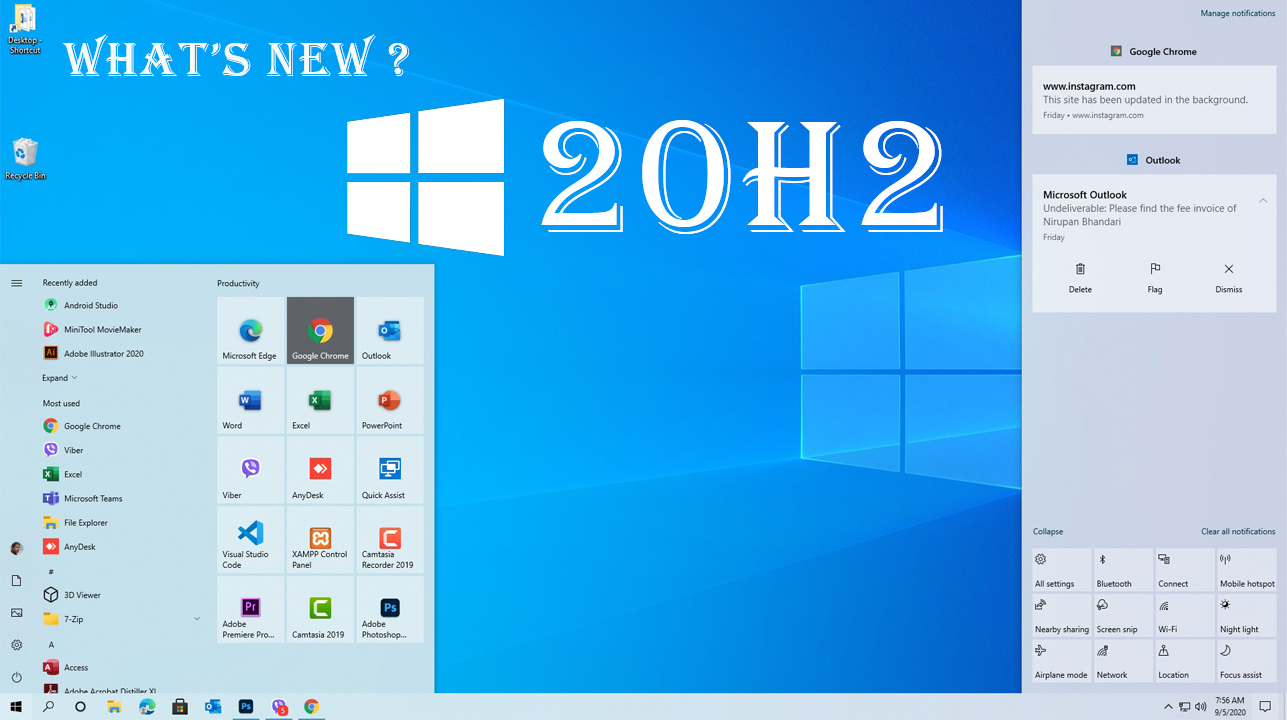
Windows 10 Version 20H2 || What's New in Windows 10 20H2 Update?
AdminSep 4, 20203,820
🔍
Windows 10’s 20H2 update does offer some notable changes, but mostly features smaller changes. That’s very exciting. Sure, we had a smaller update last year with 19H2 (the November 2019 Update) followed by a larger update with 20H1 (the May 2020 Update). But Microsoft insisted that there was no plan to do a small update followed by a large update each year. This time around, 20H2 easily could have been another big release packed full of features. Instead, Microsoft is taking the existing 20H1 update and polishing it even further. This update should be plenty stable because of all that effort going into polishing and bug-fixing. That’s good news for Windows 10 users. That’s our Microsoft-to-English translation of what’s going on :) Here’s how Microsoft phrases it: “Windows 10 version 20H2 will offer a scoped set of features to improve performance and enhance quality.” This update will be fast to install, just like 19H2 was. If you’re already running the May 2020 Update (20H1), installing it will be as fast as installing a normal monthly update—no long download or lengthy reboot required.
WHAT'S NEW? In this version of Windows, the classic “System” page in the Control Panel has been removed. When you try to open it, you’ll be taken to the About page in the new Settings app. This isn’t as big a deal as it sounds. All the information found in the Settings pane in Control Panel is available in the Settings app. There’s a convenient “Copy” button to copy all the text to your clipboard, and you’ll even find buttons for opening advanced system settings like BitLocker settings and Device Manager at the bottom of the page. This is just another step in Microsoft’s long, slow process of slowly phasing out the Control Panel. The Control Panel won’t vanish any time soon, though—it has too many useful options and Microsoft is migrating them to the new Settings app very slowly.
THE NEW START MENU The Start menu is getting “theme-aware tiles.” Now, the tile background will be light or dark to match whichever Windows 10 theme you’re using—light or dark. Previously, the Start menu used your accent color, which means the default Windows 10 theme used a variety of blue icons on a blue background. The shift to using standard theme colors means Windows 10’s new application icons look better in the Start menu. You can still get those tiles that match your theme back, however—just head to Settings | Personalization | Color and enable the accent color on “Start, taskbar, and action center.” THE
NEW MICROSOFT EDGE IS NOW BUILT-IN Microsoft is proud that this is the first version of Windows 10 with the new, Chromium-based Microsoft Edge browser included. That’s not necessarily big news—Windows Update may already have installed the new Microsoft Edge on your system, anyway. The new Edge has also been available to download from the web since January 15, 2020. But, with this release, it’s official: The new Edge replaces the old Edge in the baseline version of Windows 10.
ALT+TAB EXPERIENCE Windows 10 now shows browser tabs in your Alt+Tab switcher—if you use Edge. Instead of just showing one Edge thumbnail for each browser window, you’ll see a number of different tabs in the Alt+Tab switcher. So, if you’re using several web pages at once, you can quickly find and switch between them just with Alt+Tab. If you don’t like this, that’s fine—it’s configurable. Head to Settings | System | Multitasking and you configure Alt+Tab to show your most recent three or five tabs—or turn it off completely and get a more classic Alt+Tab experience.
ENHANCEMENTS TO TASKBAR PINNED SITES IN EDGE Microsoft has been making pinned sites on the taskbar work better, too. When you pin a website to your taskbar using Microsoft Edge, you can now click (or mouse-over) that taskbar icon to see all your browser tabs for that website. So, if you pin Gmail to your taskbar in Edge and you have Gmail tabs open in several browser windows, you can click the Gmail icon to find them—even if they’re buried in other Edge browser windows.
NO MORE FOCUS ASSIST NOTIFICATIONS If you’ve used Windows 10’s Focus Assist feature—which automatically hides notifications while you’re playing games and using other full-screen applications, among other tasks—you’ll probably notice that it can be really noisy. In the spirit of not bugging you with notifications, Focus Assist pops up to show you a notification that hey, it’s not going to show you any notifications! Now, Microsoft is disabling all these Focus Assist notifications by default, although you can still re-enable them in Settings.
Swipe up, left, or right for the next story
info
Ncell to Launch Satellite Services in Bhotekoshi Flood-Hit Areas of Rasuwa
AdminSep 10, 202690
🔍
Ncell is moving to restore connectivity in flood-battered parts of Rasuwa by rolling out satellite-based telecom services, after the Bhotekoshi floods knocked out dozens of mobile towers and kilometers of fiber infrastructure across the region.
Swipe up, left, or right for the next story
info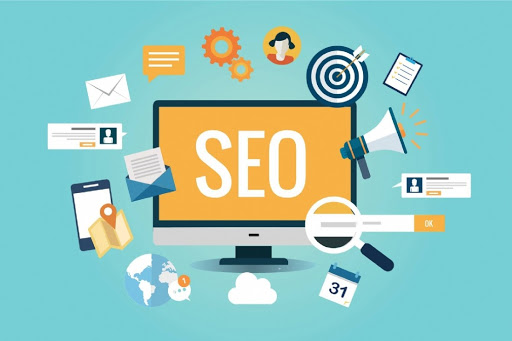
What is SEO and how it works?
AdminFeb 25, 20212,755
🔍
What is SEO and how it works? is searched often in google and you can find result like: SEO stands for “Search Engine Optimization.” It means the process of improving your site to increase its visibility for relevant searches. The better visibility your pages have in search results, means you can attract prospective and existing customers to your business.
How does SEO work?
Search engines such as Google and Bing use bots to crawl pages on the web, going from site to site, collecting information about those pages and putting them in an index. Next, algorithms analyze pages in the index, taking into account hundreds of ranking factors or signals, to determine the order pages should appear in the search results for a given query.
Content quality and keyword research are key factors of content optimization, and crawlability and mobile-friendliness are important site architecture factors on SEO.
The search algorithms are designed to surface relevant, authoritative pages and provide users with an efficient search experience. Optimizing your site and content with these factors in mind can help your pages rank higher in the search results.
Unlike paid search ads, you can’t pay search engines to get higher organic search rankings.
Why is SEO important for marketing?
SEO is a fundamental part of digital marketing because people conduct trillions of searches every year, often with commercial intent to find information about products and services. Search is often the primary source of digital traffic for brands and complements other marketing channels. Greater visibility and ranking higher in search results than your competition can have a material impact on your bottom line.
However, the search results have been evolving over the past few years to give users more direct answers and information that is more likely to keep users on the results page instead of driving them to other websites.
Also note, features like rich results and Knowledge Panels in the search results can increase visibility and provide users more information about your company directly in the results.
Swipe up, left, or right for the next story
info
What is digital marketing?
AdminFeb 25, 20212,478
🔍
These days digital marketing is getting popular and many people seems to be searching What is digital marketing?. We can get result like Achieving marketing objectives by applying digital technologies and media is called Digital Marketing. This is in conjunction with online communications techniques including the likes of search engine marketing, social media marketing, online advertising, e-mail marketing and partnership arrangements with other websites. These days social media marketing like Facebook, Instagram, YouTube Advertisement (Boosting) are getting popular among us.
Digital Marketing means:
Identifying – the internet can be used for marketing research to find out customers’ needs and wants
Anticipating – the Internet provides an additional channel by which customers can access information and make purchases – evaluating this demand is key to governing resource allocation.
Satisfying – a key success factor is achieving customer satisfaction through the appropriate channel, which raises issues such as: is the site easy to use, does it perform adequately, what is the standard of associated customer service and how are physical products dispatched?
So, digital marketing is about utilizing digital technology to achieve marketing objectives. There is no essential need for digital to always be separate from the marketing department as a whole, as the objectives of both are the same. However, for now, it remains a useful term because digital requires a certain skill set to utilize digital technology effectively.