Info+
How to create a system specification report in Windows 10
📅 April 7, 2020👁 1,914 views
🔍
🔍
You can use System Information to create a full report of your computer specifications and save for later viewing or share with technical support.
To create a report of your computer specs, use these steps:
Search for System Information and click the top result to open the app.
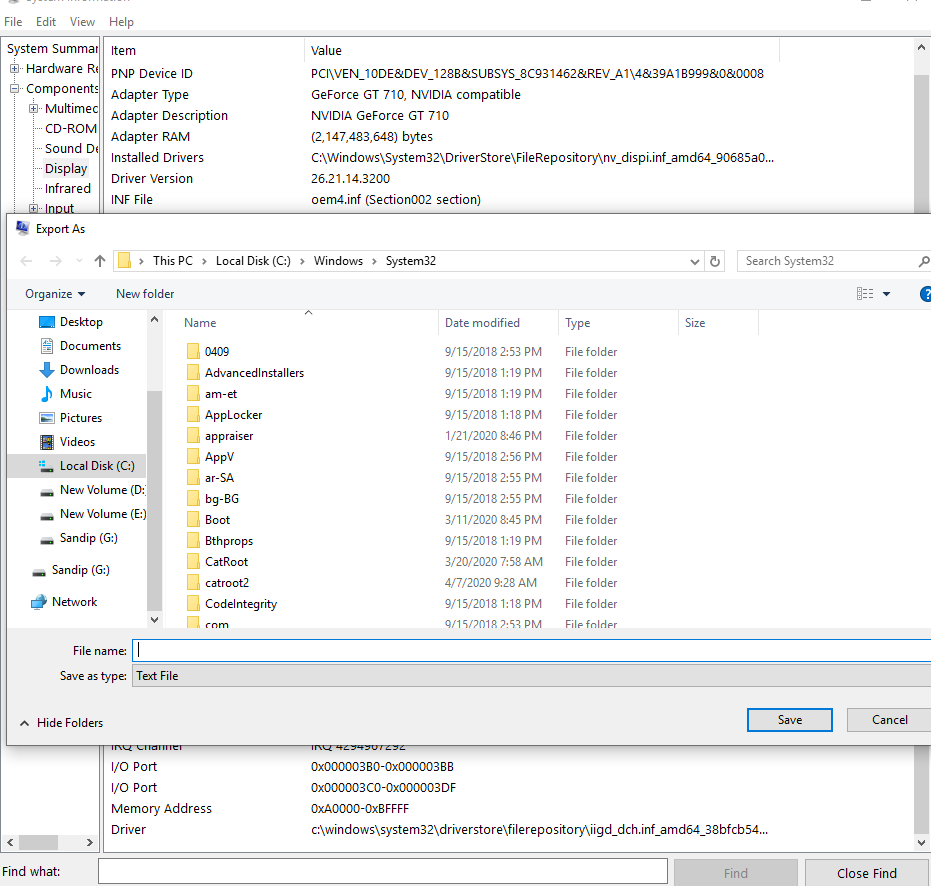
Select the specifications you want to export.
Quick tip: Selecting System Summary will export everything, but if you only need to export the graphics card details, you can simply select Display.
Click on the File menu.
Click the Export option
- Select the location to save the file.
- Type a descriptive name for the report. For instance, "Computer specs Windows 10".
- Click the Save button.
- Open the folder containing the exported information.
Double-click the text file to view all the system information