Write Ups

Kantipur Daily - New Website and App by KMG

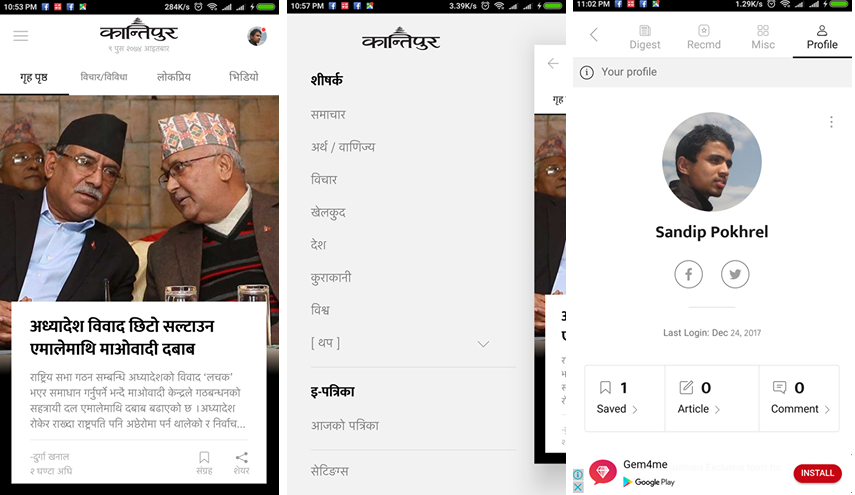
Kantipur Media Group has launched new website and mobile app 'Kantipur Daily', which provide all the trending news and various other features in a clean and new style. You will love the black and white colors use

AAdminDec 24, 2017
Kantipur Media Group has launched new website and mobile app 'Kantipur Daily', which provide all the trending news and various other features in a clean and new style. You will love the black and white colors used on the website and application, which is making a UI best. In this new site beside reading news and stories users can write articles and submit to the Kantipur publication through the website and user can also view statistics on profile and keeps track of news user read. Through this website users can get horoscopes, Nepali calendar, vacancy announcement and many more features. Fore more details you can go through attached video and image.
A
Written by
Admin

Contributor at EdTecInfo. Writing about education, technology, and productivity for Nepali readers.

Swipe up, left, or right for the next story
Write Ups

How to move photos from iPhone to Android

In this post I'm sharing the process of moving iPhone pics to Android Google Photos. First you need to download Google Photos App in your iPhone from Apple App store Add your Google Account in Google

SSSudarshan SharmaDec 26, 2019
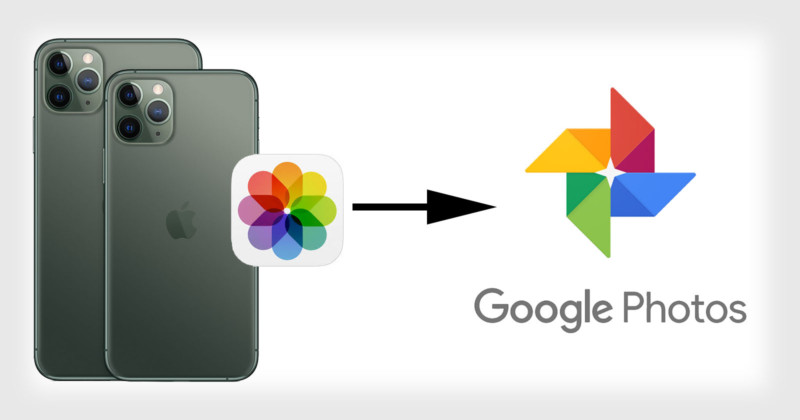
In this post I'm sharing the process of moving iPhone pics to Android Google Photos. First you need to download Google Photos App in your iPhone from Apple App store Add your Google Account in Google Photos by signing in with your Google Account. Head to Settings and enable Backup & Sync. To move photos and videos from iPhone to Google Photos, open the app and tap on the three-dot from the top right corner and tap on Settings. Here’ you’ll need to turn on Backup and sync features to transfer all your photos and videos. Now, head back to Google Photos App in your Android phone, you can see iPhone photos too.
SS
Written by
Sudarshan Sharma

Contributor at EdTecInfo. Writing about education, technology, and productivity for Nepali readers.

Swipe up, left, or right for the next story
Write Ups

10 hottest selling smartphones in the world

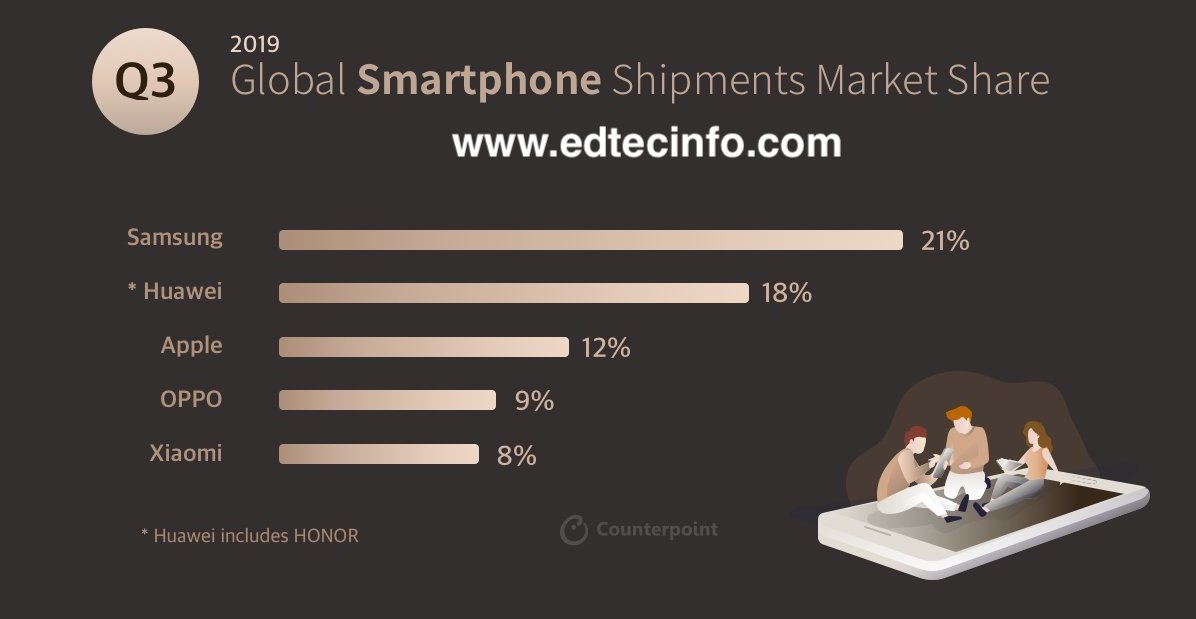
According to a report by Counterpoint Research, “the iPhone XR was the top-selling model globally in Q3 2019, capturing 3% market share.” Where the smartphones from Samsung, Oppo, Xiaomi also made the cut. I

SSSudarshan SharmaDec 26, 2019
According to a report by Counterpoint Research, “the iPhone XR was the top-selling model globally in Q3 2019, capturing 3% market share.” Where the smartphones from Samsung, Oppo, Xiaomi also made the cut. In this post we are sharing the 10 hottest selling smartphones in the world.
  1. iPhone XR: Launched in 2018, the iPhone XR which was also pitched as the ‘affordable’ iPhone has been sold handsomely across the world.

  2. Samsung A10: Launched in February 2019, this is an entry-level offering from Samsung and features a a 6.20-inch touchscreen display, Exynos 7884 processor and 2GB of RAM.

  3. Samsung Galaxy A50: This triple rear camera featuring smartphone from Samsung is the third highest selling in the world.

  4. Oppo A9: Oppo’s first — of the three — smartphone in the list is the A9. This is a mid-range smartphone that offers a dual camera, 4GB RAM and a 6.5-inch display

  5. iPhone 11: The best-selling new iPhone of 2019 is the iPhone 11 and the fifth highest selling smartphone in the world.

  6. Oppo A5s: The second Oppo phone on the list is the A5s, which is an entry-level smartphone from the Chinese smartphone manufacturer.

  7. Samsung Galaxy A20: The third popular phone from Samsung is the Galaxy A20, which is budget device.

  8. Oppo A5: This budget smartphone from Oppo features a quad camera setup at the back.

  9. Xiaomi Redmi 7A: The only smartphone from Xiaomi on the list is the entry-level Redmi 7A.

  10. Huawei P30: Huawei P30 was launched earlier this year in March along with P30 Pro and P30 Lite.


SS
Written by
Sudarshan Sharma

Contributor at EdTecInfo. Writing about education, technology, and productivity for Nepali readers.

Swipe up, left, or right for the next story
Write Ups

How to activate international roaming in NTC SIM card

NTC is providing international roaming service from 2001; the service was available in GSM postpaid service only previously and now its available in Namaste prepaid. In this post, we will provide you the process to

AAshmeeAug 21, 2019
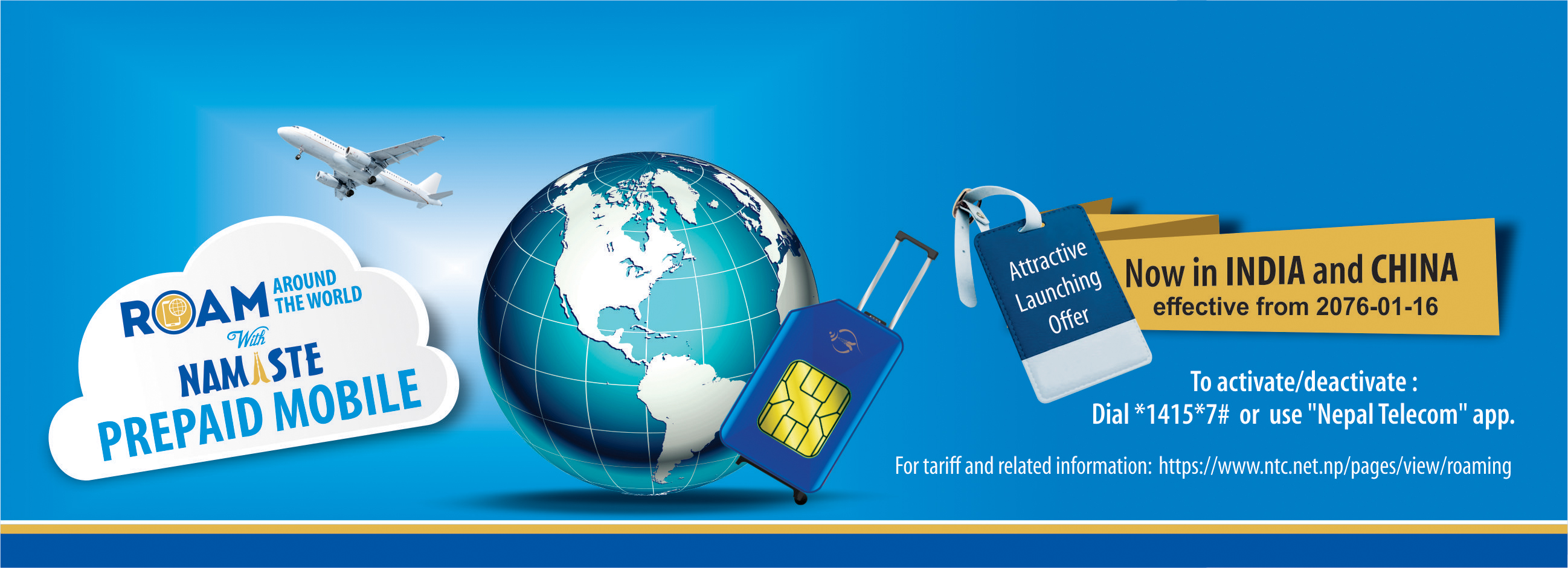
NTC is providing international roaming service from 2001; the service was available in GSM postpaid service only previously and now its available in Namaste prepaid. In this post, we will provide you the process to activate international roaming in NTC SIM card. NTC International roaming service allows a customer to access the mobile network while they are out of their home country. One who have Nepal Telecom SIM with roaming service enabled can get access to mobile network during visit to foreign country. Tarrif of using the roaming call, SMS, data is expensive as compared to other calls made from the home country. How to activate NTC roaming service To activate/subscribe the roaming service in NTC GSM prepaid SIM card, you need to dial *1415*7# and activate the international roaming to enable the service or you can download and use NTC App to activate the service. Whats the cost price? The cost of NTC international roaming service is expensive as compared to the usage in Nepal; It will cost you more to call back to Nepal. The price varies from country to country. Ntc also says the price may vary due to the fluctuating Dollar rate. Similar is the case for sending SMS and Mobile terminating call. The incoming SMS service for the roaming number is free of charge.
🔍
A
Written by
Ashmee

Contributor at EdTecInfo. Writing about education, technology, and productivity for Nepali readers.